Training app for iPhone and Apple Watch

Your plan. Your coach. Every rep.

Train with coach Alissa. Clapiletics takes you through strength workouts set by set: follow a free plan with her, count your reps on Apple Watch, track your runs on the map, log meals from a photo, and ask an AI coach who knows what you trained.

Download on theApp Store

Free to download for iPhone and Apple Watch.
Want new features first? Join the beta

Free plans Reps counted on Apple Watch Health data stays on your device
AlissaYour coach
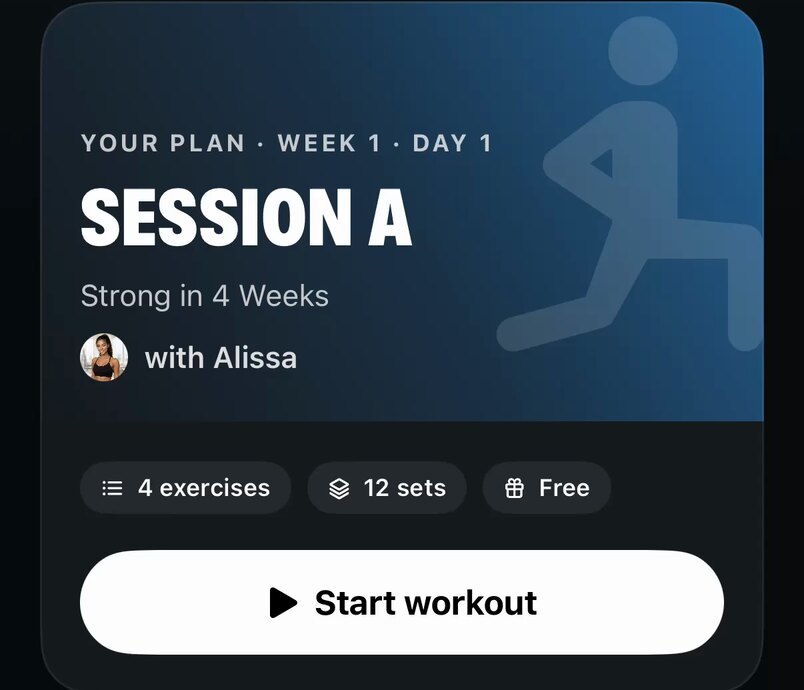
Your plan, week 1, day 1: Session A of Strong in 4 Weeks with Alissa, 4 exercises and 12 sets, and the Start workout button

The film

A minute with Clapiletics

Pick a plan from coach Alissa, let the workout run itself, ask your AI coach, snap a meal and watch every set add up.

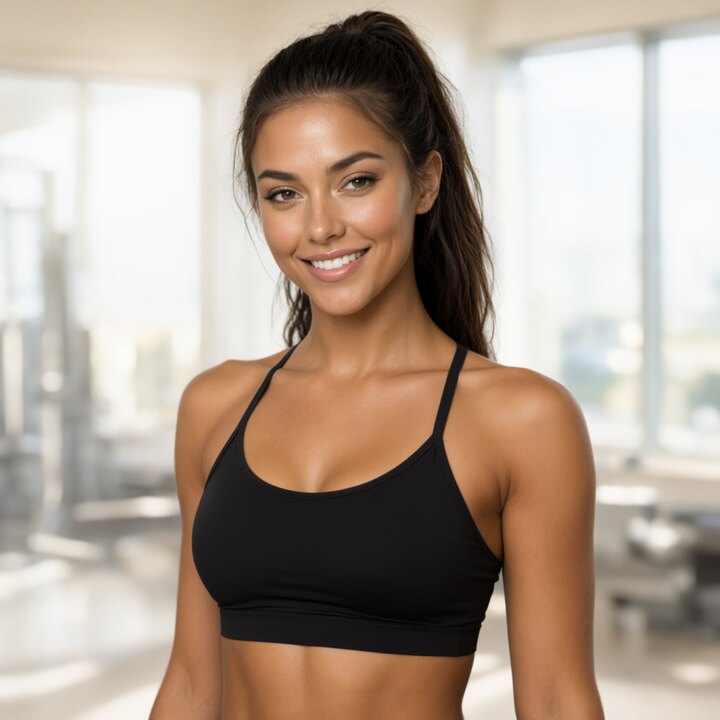
Alissa and her demonstrations are generated with AI. The app screens are recorded with a demo account.

Coach Alissa in the gym, smiling
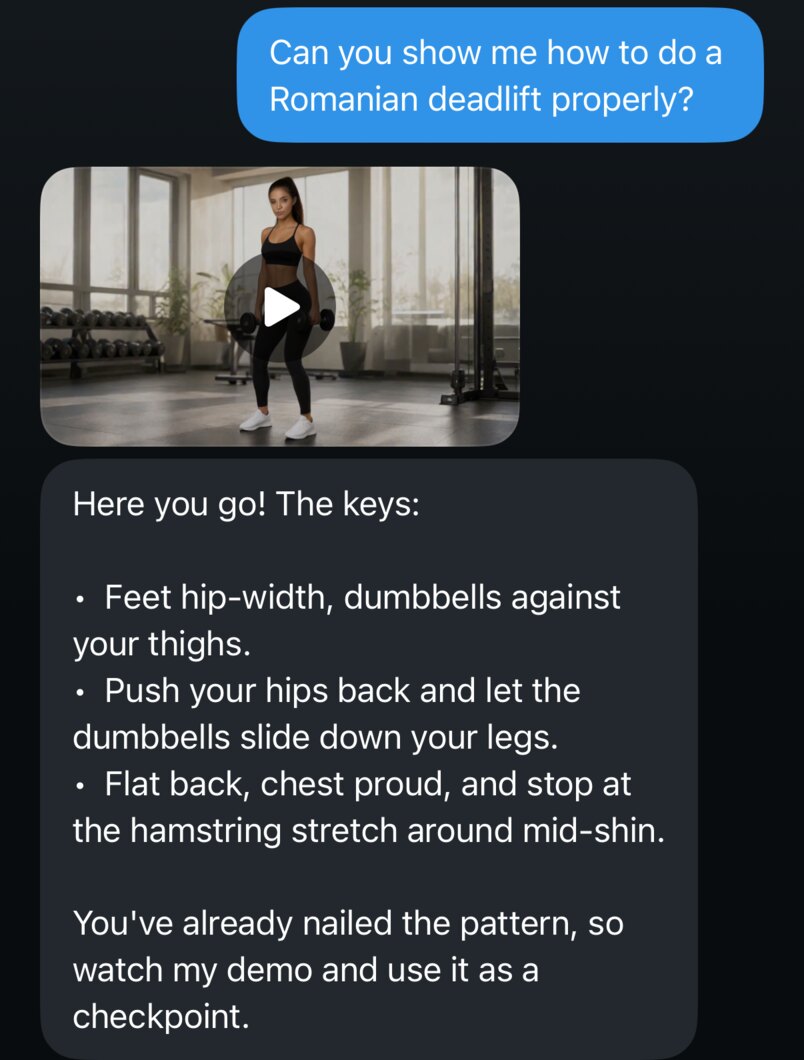
The chat: Lena asks how to do a Romanian deadlift properly, and Alissa sends her demonstration video with three cues

Your coach

Meet Alissa

She leads your plan, shows you every exercise and answers in the chat. Ask how a move is done, and she sends you her demonstration.

  1. Shows every moveA looping demonstration for each exercise, right above your set.
  2. Builds your planAsk for a plan around your week and your equipment, and it becomes your plan on Train.
  3. Knows your trainingShe sees your synced sets, your food log and your profile, and remembers what you told her.

Alissa is an AI coach, and her demonstrations are generated with AI. She doesn't replace a doctor or a physiotherapist. Apple Health summaries reach her only when you turn them on.

Goblet squat
Shoulder press
One-arm row
Romanian deadlift
Push-up
Thruster

Guided workouts

A workout that runs itself

Start a session and the app leads the way. Each set opens full screen with Alissa's demonstration, a timer ring and a reps ring that counts as you move. Reach your target and the set finishes itself.

During the rest, the next set is already set up: reps from the plan, weight from the set before or from your light, medium or heavy training weight. When the rest is over, the next set begins. Tap to go now, or Wait to take your time.
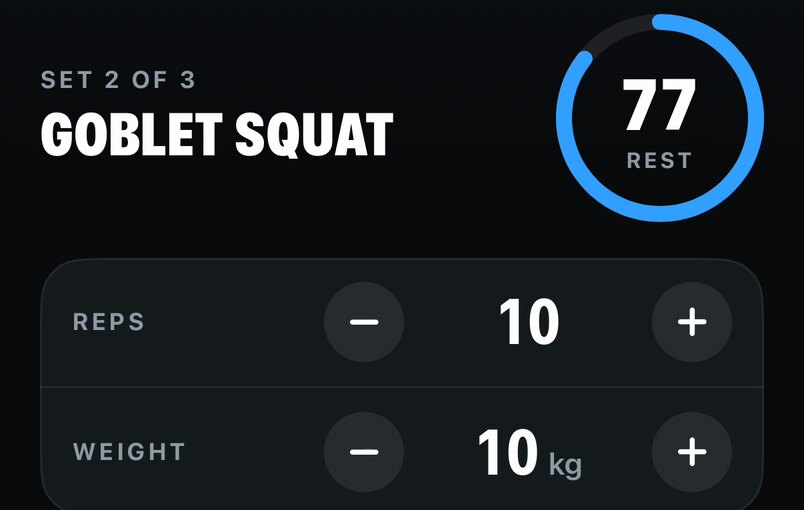
Resting before set 2 of 3 of the goblet squat: 77 seconds left, 10 reps at 10 kilograms

Apple Watch

Reps counted on your wrist

With Apple Watch live, every set you begin on your iPhone starts on your Watch. It counts your reps from wrist motion at full sensor rate, shows the time, the reps against your target, the weight and your heart rate, and sends it all to your phone four times a second.

  • Finishes on its ownReach your target and stop, and the set ends after a short countdown. Keep going holds it.
  • Live heart rateBeats per minute during the set, average and peak after it.
  • Runs and rides tooTime, distance, pace and heart rate on your wrist, with pause and end a swipe away.

Rep counting is experimental. You confirm the reps before a set is saved. Without a Watch, your iPhone counts from a trouser pocket or an arm mount.

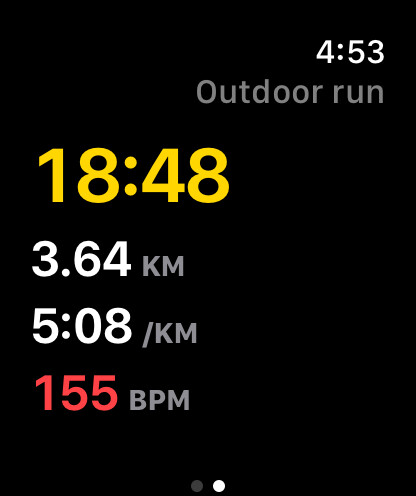
Apple Watch during an outdoor run: 18:48, 3.64 kilometres, 5:08 per kilometre and 155 beats per minute

Runs and rides

Every run on the map

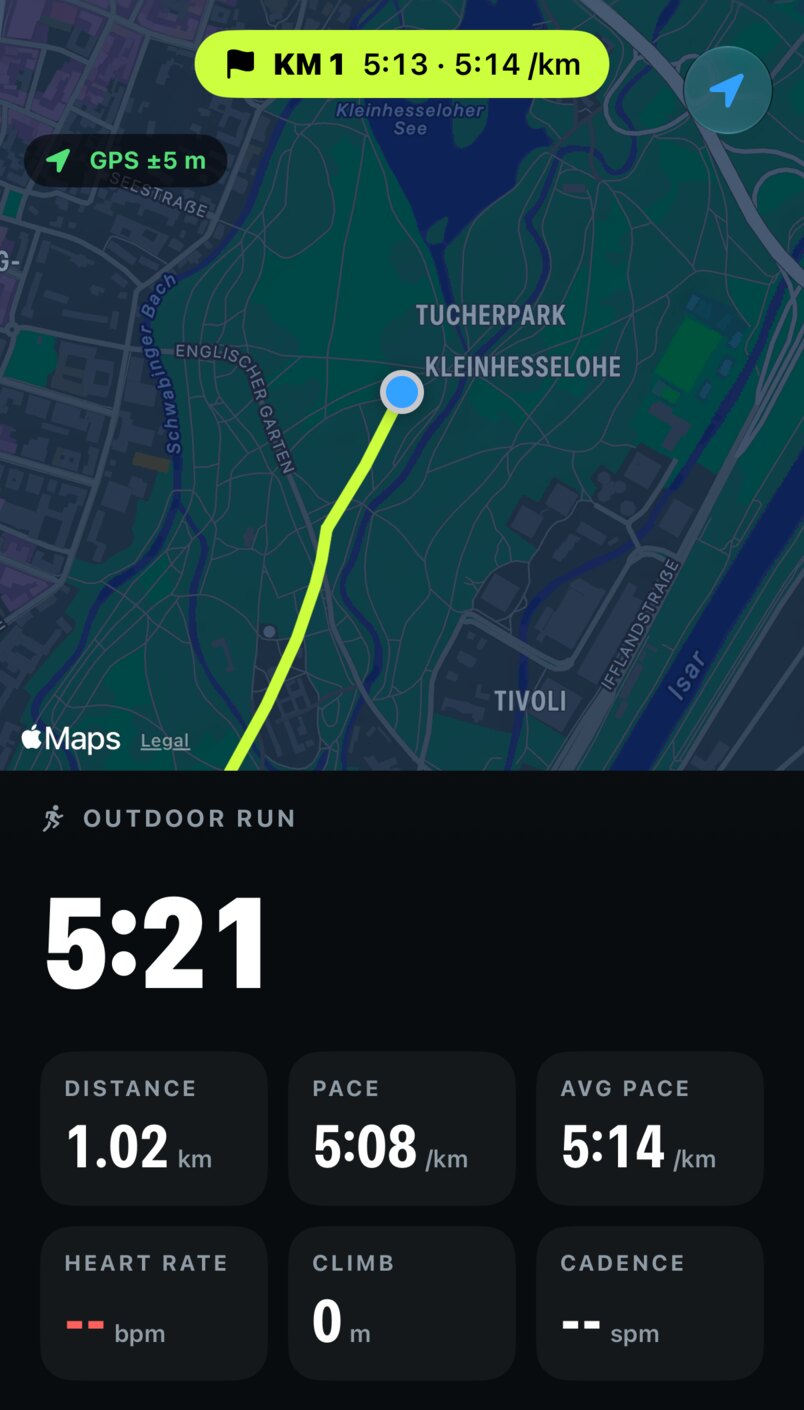
Outdoor runs and rides record your route with your iPhone's GPS, also with the screen locked. See your time, distance, pace, climb and cadence as you go, and a banner for every kilometre.

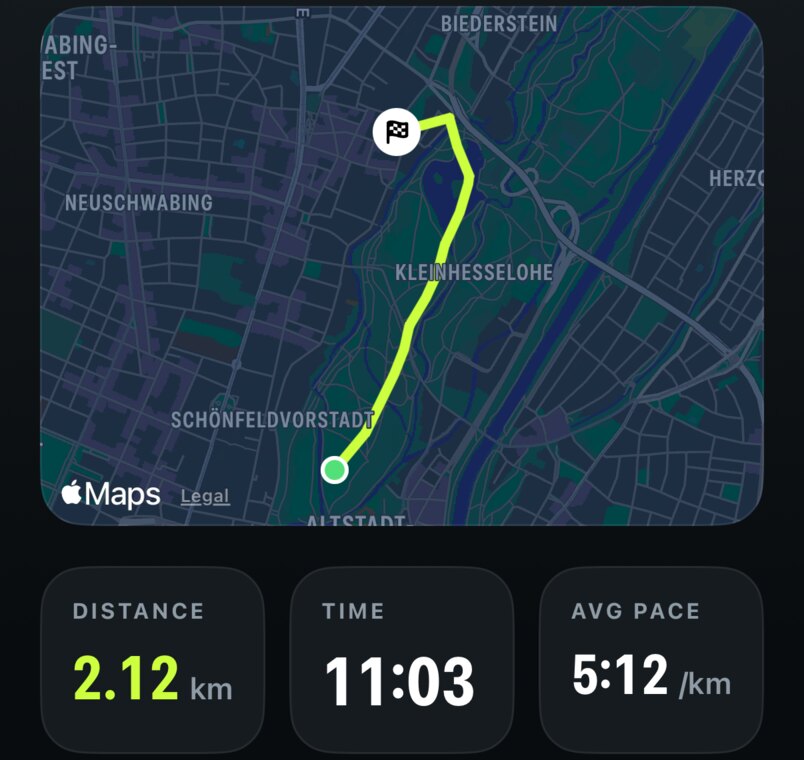
Afterwards you get the route on the map, your splits and the charts, saved to Apple Health if you like. Treadmill runs and indoor cycling are tracked too.

An outdoor run in the Englischer Garten: the first kilometre in 5:13, the route on a dark map, time, distance, pace and average pace
After the run: the route on the map, 2.12 kilometres in 11:03 at 5:12 per kilometre

Food

Snap a meal, see the macros

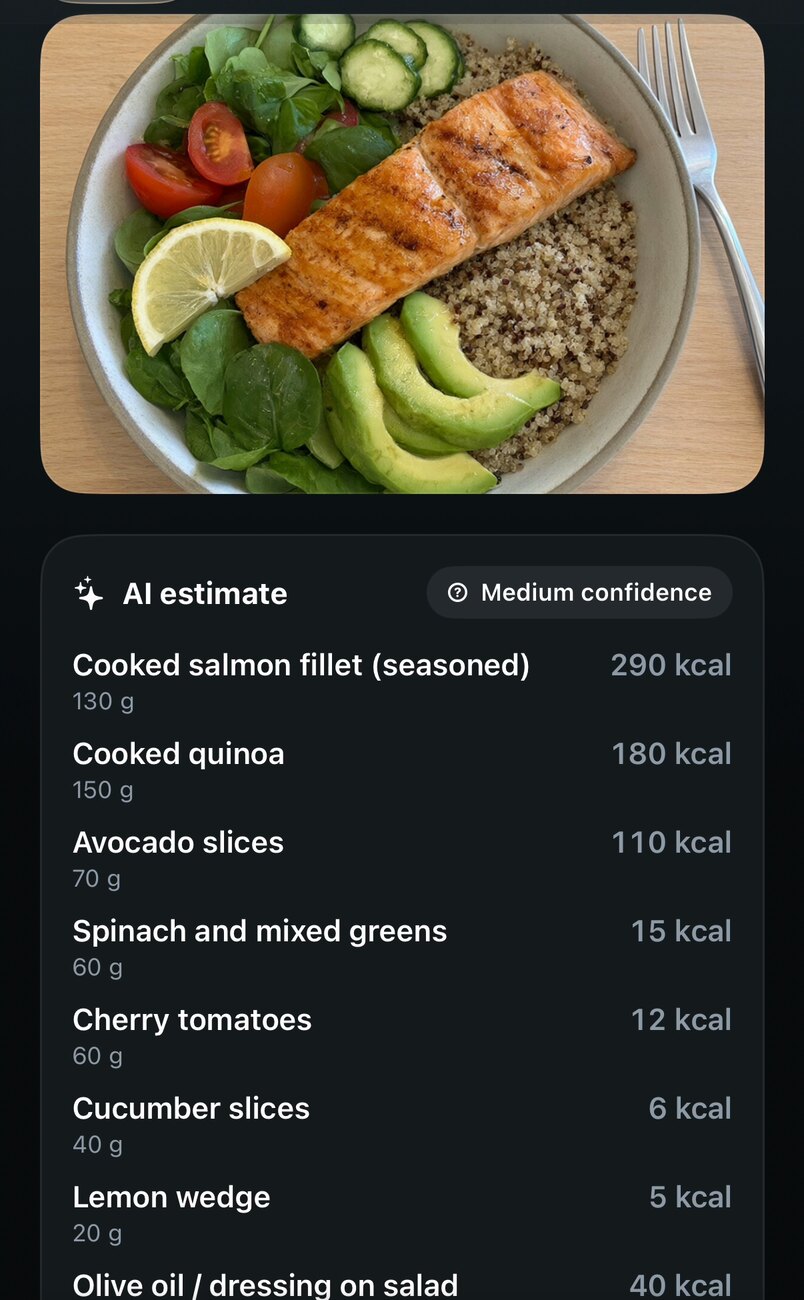
Take a photo of your plate and get the foods, calories, protein, carbs and fat to check before you save, or add a meal by hand. Today shows against your daily goals, with the last seven days at a glance and the meal plan from your coach.

Photos are shrunk on your phone without location data and aren't stored on our server.

A photo of a salmon bowl and the AI estimate: salmon 290 kcal, quinoa 180 kcal, avocado 110 kcal and more

Progress and badges

Every set adds up

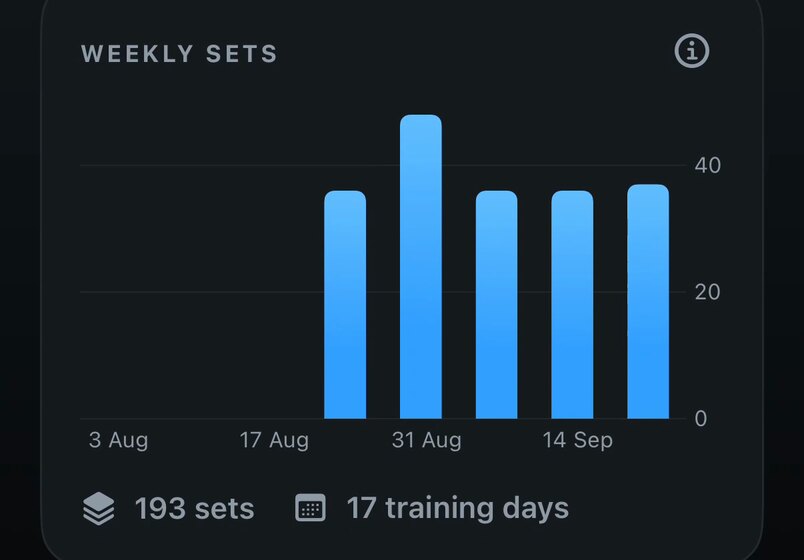
Sets, reps and training days, a chart of your weekly sets, and every set you did, on each device you sign in to.

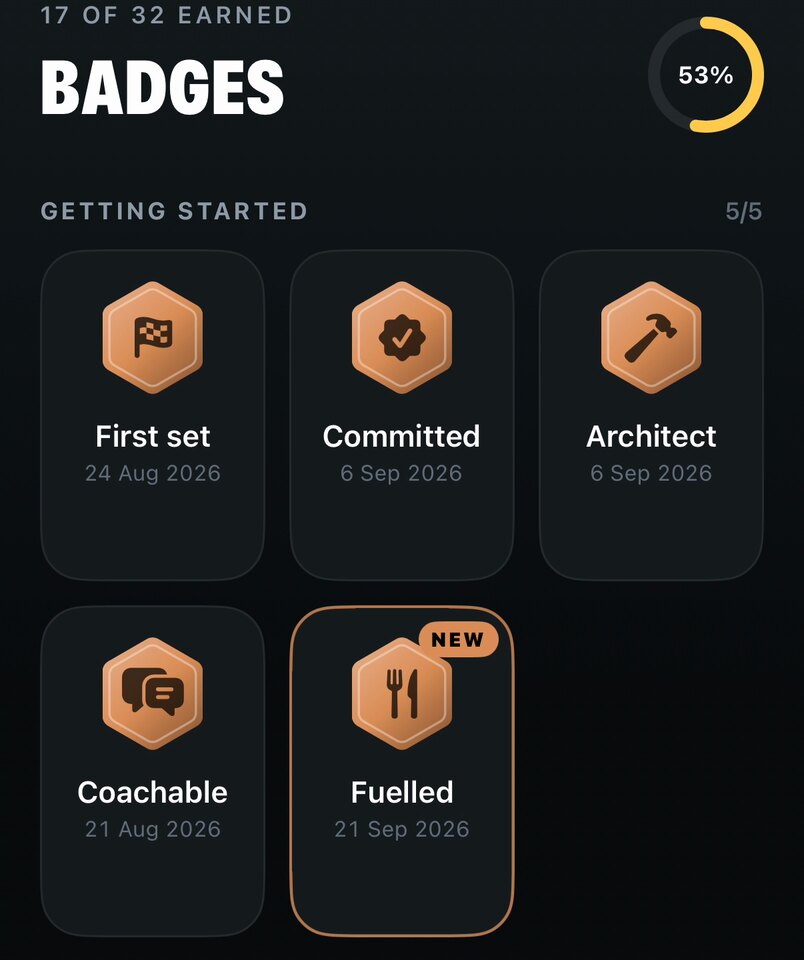
30 badges in five groups mark the way, from bronze to platinum: your first set, ten tonnes lifted, eight weeks in a row, sets before 7 am. Next up shows the one you're closest to.

Weekly sets over the last eight weeks: 193 sets on 17 training days
Badges: 17 of 32 earned, with First set, Committed, Architect, Coachable and the new Fuelled badge

Community

Train alongside others

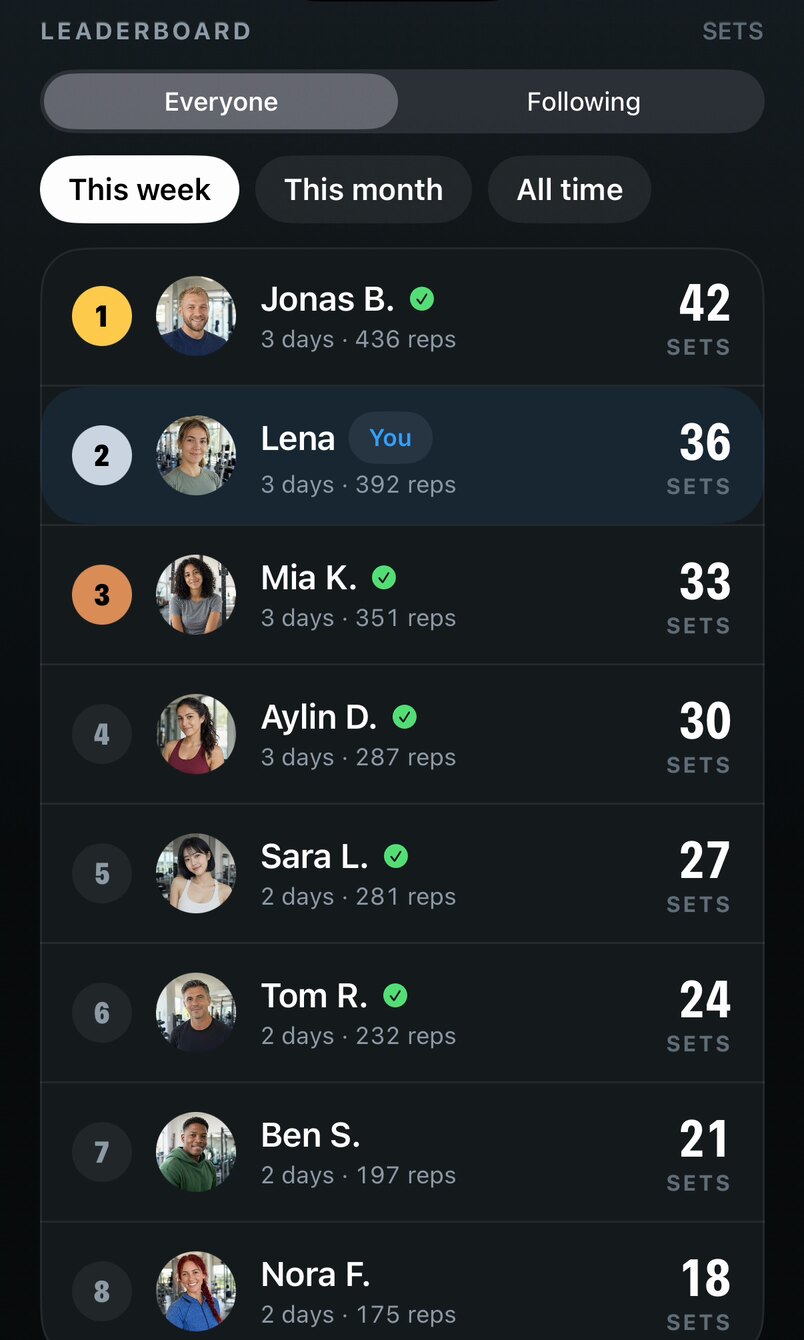
Join the community if you like. Follow other members, see their training days and badges, share your plans, and compare sets on the leaderboard for this week, this month or all time.

Others see your name, picture, badges, sets, reps, training days and streak. Your weights, meals, health data and coach chats stay private.

This week's leaderboard by sets: Jonas 42, Lena 36, Mia 33, Aylin 30 and more

Recovery

Know when to push, and when to rest

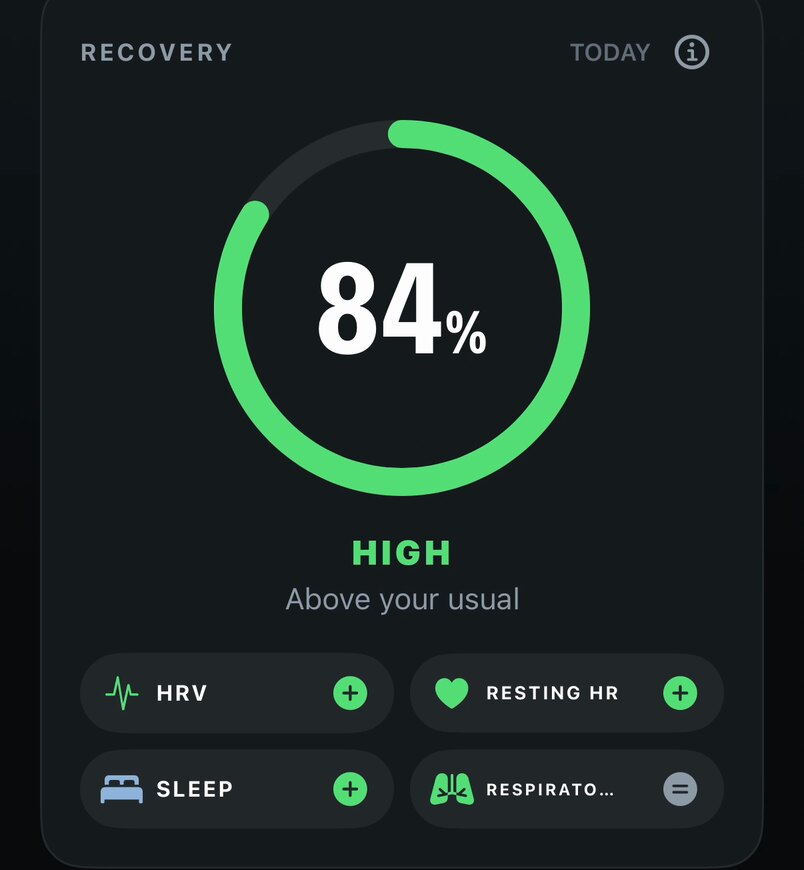
Recovery reads 30 days of Apple Health: heart rate variability, resting heart rate, sleep, respiratory rate, active energy and workouts. Once there are two weeks of data, a recovery score compares today with your own usual days.

  • Your own baselineEach value is compared with your median of the last four weeks, not with anyone else's.
  • Stays on your iPhoneHealth data is read and analysed on the device, and leaves it only as summaries you choose to share with your coach.

The recovery score is a guide from your own data, not a medical measurement.

Recovery 84 percent, high, above your usual, with HRV, resting heart rate and sleep raising the score

Your own exercises

Missing one? Add it with a link to a guide or video, and Prepare with AI fills in the steps.

Every Apple device

iPhone, iPad, Mac and Apple Vision Pro, with Apple Watch for live sets. Your account keeps them in step.

Works offline

Plans and your history are kept on the device, and sets sync when you're back online.

Private by design

Motion recordings never leave your devices, and health data only when you share it with your coach. Read the privacy policy.

Now on the App Store

Start training with Alissa

Get Clapiletics for iPhone and Apple Watch, pick a free plan and do your first session today.

Download on theApp Store

Beta

Try what's next first

New features land in the beta before they reach the App Store. Leave your email, and we'll invite you to test them with TestFlight and tell us what you think.

We'll only use your email to invite you to the beta. Privacy